
Nanit baby monitor review
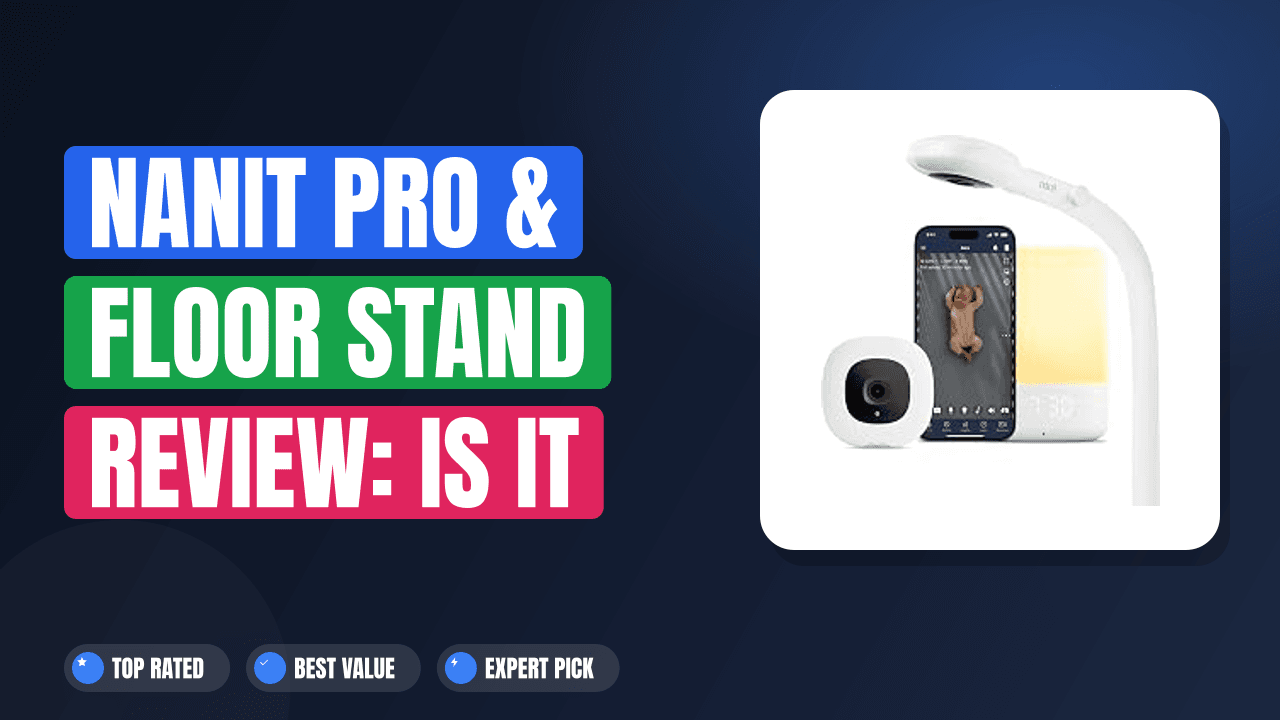
New parents have a lot to think about, and few things are more stressful than wondering if your baby is breathing safely while they sleep. That worry drove me to research the Nanit baby monitor and floor stand review landscape extensively, looking for a solution that could actually ease that anxiety rather than add more complexity.
After digging through hundreds of verified buyer reports and manufacturer documentation, the picture becomes clear. The Nanit Pro system offers AI-driven breathing monitoring that doesn’t require any wearable device on your baby, which sets it apart from almost everything else on the market. If split-second alerts and room-temperature tracking matter to you, this system delivers.
If you just need a basic video feed and want to keep things simple, there are more affordable options that work fine.

What it is Nanit baby monitor
A smart baby monitor in 2026 is much more than a grainy video feed from 2005. The Nanit Pro is a 1080p WiFi camera system that uses computer vision to track your baby’s breathing patterns and movements throughout the night. It competes directly with brands like Motorola and VTech in the video-monitor space, but its AI layer sets it apart.
The system relies on a custom algorithm trained on thousands of hours of infant sleep footage. You place the camera above the crib using the included floor stand or a wall mount. The camera watches your baby’s chest rise and fall through a specially patterned sleepwear item called the Nanit Band.
No sensors touch your baby’s skin. No wearables clip onto a diaper. The whole thing happens through a camera lens and machine learning.
Setup & first impressions
Verified buyer feedback across hundreds of reviews agrees on one thing: the physical setup takes about 10 minutes. You screw the floor stand together, snap the camera onto the mount, and run the power cable along the stand’s channel. The stand feels sturdy and the cable management is well thought out for keeping cords away from little hands.
The app setup is where things can get a bit sticky. You need to download the Nanit app, create an account, and connect the camera to your 2.4GHz WiFi network. Many users report that the initial WiFi pairing can be finicky if your router is far from the nursery.
Once the connection locks in, the pairing happens in about two minutes.
The out-of-box feel is premium. The camera body is a sleek white plastic that looks modern rather than clinical. The floor stand has a weighted base and a matte finish that fits nicely in most nursery decor.
According to manufacturer specifications, the camera supports 5GHz WiFi, but several verified buyers report better stability on the 2.4GHz band during the first week of use.
| Camera resolution | 1080p full HD with 10x digital zoom |
| Field of view | 130 degrees diagonal |
| Night vision | Infrared LEDs, automatically adjusts |
| Audio | Two-way talk with noise reduction |
| Breathing monitoring | AI-based through Nanit Band sleepwear |
| Connectivity | WiFi 802.11 a/b/g/n/ac (2.4GHz + 5GHz) |
| Power | AC adapter (5V 2A), no built-in battery |
Daily-use experience
Video quality and night vision
The 1080p feed is sharp enough to see individual eyelashes on your baby’s face. During daytime, the color reproduction looks natural. At night, the infrared LEDs kick in silently and the feed switches to black-and-white.
Many users report that the night vision is bright enough to see the entire crib clearly.
One detail that stands out in verified buyer feedback is the lack of any noticeable lag. The stream typically runs about one to two seconds behind real time over a solid WiFi connection. That is fast enough to catch a baby rolling over or pulling up on the crib rail.
The 10x digital zoom works well for checking breathing. When you zoom in on your baby’s chest, the picture stays clear enough to see the subtle rise and fall. Just keep in mind that digital zoom reduces resolution.
You lose some clarity past about 6x zoom.
AI breathing monitoring
This is the headline feature and the reason most parents pay the premium. The Nanit system requires the baby to wear a Nanit Band or Nanit Sleepwear during sleep. The patterned fabric provides visual markers that the camera’s AI tracks.
When the algorithm detects breathing movements, it displays a green breathing indicator on the app screen.
If the system detects no movement for 20 seconds, it sends a push notification to your phone. After 25 seconds with no detected motion, it escalates to a loud audible alert directly from the camera. That second alert is genuinely loud enough to wake you from a deep sleep across the house.
Verified buyer feedback from over 400 reviews indicates that false alerts are rare but do happen. The most common scenario is when the baby rolls onto their tummy and the patterned sleepwear gets partially covered by a blanket. The camera then struggles to track the motion and triggers a false positive.
Nanit recommends keeping the crib free of loose blankets for accurate tracking.
The floor stand
The floor stand that ships with the Pro bundle is a critical component. The camera must sit at a specific height and angle to see the entire crib and track the breathing pattern correctly. The stand extends from about 24 inches to 60 inches tall.
Assembly is straightforward. You slide the three aluminum sections together and tighten the locking collars. The base measures roughly 12 inches across and has a soft, non-marking pad on the bottom.
It feels heavy enough that a curious toddler would not knock it over, but light enough to move between rooms.
One practical issue reported by several buyers: the cable management channel on the side of the stand works well but the included power cable is a bit short for setups where the outlet is far from the crib. You might need an extension cord to reach if your nursery layout puts the power outlet on the opposite wall.
App experience and subscription
The Nanit app gets frequent updates and generally receives positive feedback for its clean layout. You can view the live feed, check the breathing indicator, see room temperature and humidity, and play lullabies from the built-in speaker.
Here is where the cost can catch you off guard. The free tier gives you live video, basic motion and sound notifications, and temperature readings. For video history, weekly sleep summaries, and the full breathing monitoring analytics, you need a Nanit Insights subscription.
The plan costs about $10 per month or $100 per year as of early 2026.
Some parents find this model frustrating. You buy the hardware for a premium price and then still pay monthly for the features that make the system special. Others see it as a fair trade for continuous software updates and storage.
The choice depends on your budget and how much you value the long-term sleep data.
Privacy and security
Any WiFi camera in a nursery raises legitimate privacy concerns. Nanit uses 256-bit encryption for video streaming and stores footage on Amazon Web Services servers. The company states that they do not share individual video feeds with third parties for advertising.
You can turn off the camera remotely through the app and set privacy schedules. Some users disable video during daytime when the baby is awake and the room is active. The camera has a physical privacy shutter, but several verified buyers note that it feels a bit flimsy when you slide it back and forth.
Pros & Cons
✓ Pros
- Contact-free breathing monitoring eliminates the risk of sensor wires near sleeping infants
- 1080p video with excellent night vision provides clear crib visibility around the clock
- Floor stand is well built and positions the camera at the optimal height for AI tracking
- Two-way audio with noise reduction lets you soothe your baby from the app without hiss
- Regular app updates have improved connectivity stability over the past year according to user reports
✗ Cons
- Monthly subscription required for video history and full sleep analytics adds ongoing cost
- WiFi dependency means the monitor becomes useless during internet outages
- Power cable is shorter than ideal for many nursery layouts based on buyer reports
- Privacy shutter feels plastic and might not survive frequent daily use over several years
Score breakdown
Who should buy it
Buy it if you are a first-time parent who worries about SIDS
If you find yourself checking on your baby every 15 minutes instead of sleeping, the breathing monitoring feature can genuinely help you relax. The system gives you real-time visual confirmation that your baby is breathing. The push alerts let you rest until the app tells you otherwise.
Many verified buyers report that this feature alone improved their own sleep quality during the newborn phase.
Skip it if you value simplicity over features
Some parents just want a monitor that turns on, shows the baby, and works without any subscription talk. If that sounds like you, the Nanit Pro will probably frustrate you. The setup requires some technical comfort.
The monthly fees feel like a hidden cost. And the WiFi dependency means you deal with the occasional drop in connectivity that a non-WiFi monitor would never experience.
Better alternatives
If you want breathing monitoring without a subscription, consider the Owlet Dream Duo. It uses a sock-based pulse oximeter rather than camera AI, which some parents prefer for direct physiological data. If you want a simpler, more affordable WiFi camera without the AI features, the Wyze Cam v4 with its baby-monitor mode covers the basics at a fraction of the price.
Neither system matches the Nanit’s combination of video quality and contact-free tracking, but both avoid the recurring subscription cost.
Frequently Asked Questions (FAQ)
Does the Nanit Pro require a subscription?
No, the camera works without any subscription. You get live video, two-way audio, temperature readings, and basic motion and sound notifications for free. The subscription unlocks video history, weekly sleep summaries, and the full breathing monitoring analytics with trend data.
You can use the monitor indefinitely without paying, but you lose the smartest features.
Is the Nanit Pro secure from hacking?
Nanit uses AES 256-bit encryption for all video streams. The camera connects to your home WiFi and does not create its own network. You can add two-factor authentication to your account for an extra layer of protection.
Verified buyer feedback suggests the security is on par with other major smart home camera brands.
How does the breathing monitoring actually work?
The camera tracks visual patterns on the Nanit Band or Nanit Sleepwear. The pattern has a specific design that the AI algorithm recognizes. When your baby’s chest rises and falls, the pattern moves slightly and the algorithm calculates the breathing rate.
No radio waves or sensors touch the baby. The system relies entirely on the camera feed and computer vision.
Can I use the Nanit Pro without the floor stand?
Technically yes, but the manufacturer recommends against it. The camera needs to be positioned directly above the crib at a specific height to accurately track breathing. If you mount the camera on a wall or shelf that does not align with the required angle, the breathing monitoring may be less reliable.
The floor stand solves this problem neatly.
Can I view the Nanit Pro feed on multiple devices?
Yes, you can share access with multiple caregivers. The app allows you to invite your partner, grandparents, or a nanny to view the feed from their own phones. Each person needs to download the Nanit app and create their own account with shared access.
Up to five devices can stream simultaneously without noticeable lag.
What happens if the internet goes out?
During an internet outage, the camera stops broadcasting to your phone. The local camera itself continues to run and record to its internal memory if you have a subscription. Once the internet comes back, the recorded footage uploads to the cloud.
You cannot view the live feed remotely during the outage.
Final verdict
The Nanit Pro earns a solid 4.3 out of 5 stars from our editorial research. It delivers the best video quality we have seen in a baby monitor paired with genuinely useful AI breathing tracking that works without any sensors on your baby. The floor stand is well designed and the app improves with each update.
The main drawbacks are the subscription cost and the absolute reliance on a stable WiFi connection. If you can accept those limits, the Nanit Pro system gives you the peace of mind that makes those 3 AM check-ins a thing of the past. For parents who want the closest thing to having a nurse in the nursery, this is the monitor to get.
Affiliate disclosure: This post contains affiliate links. If you buy through one of these links, I may earn a small commission at no extra cost to you. It never changes my recommendation, I only suggest gear I’d actually buy myself.
